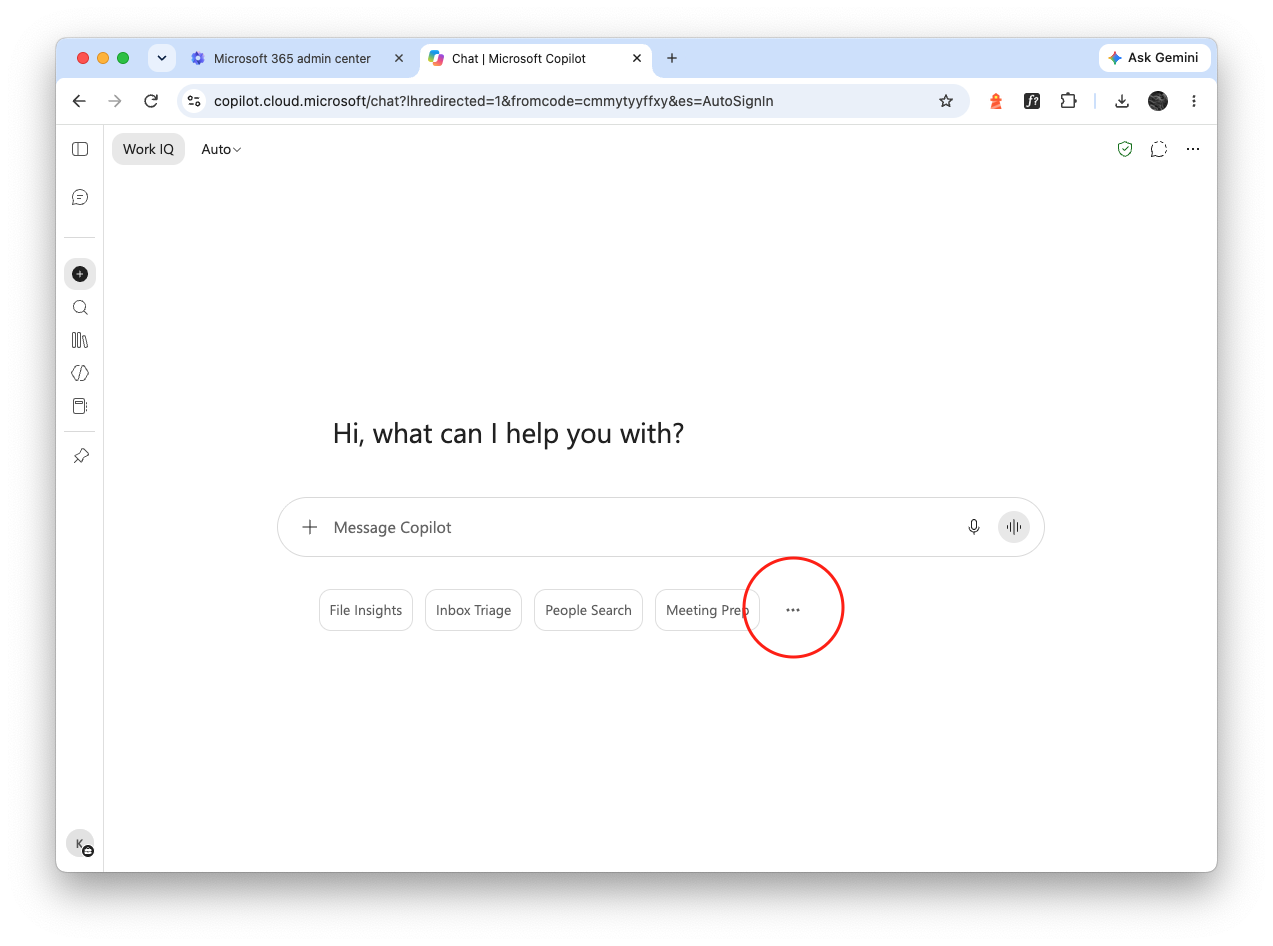
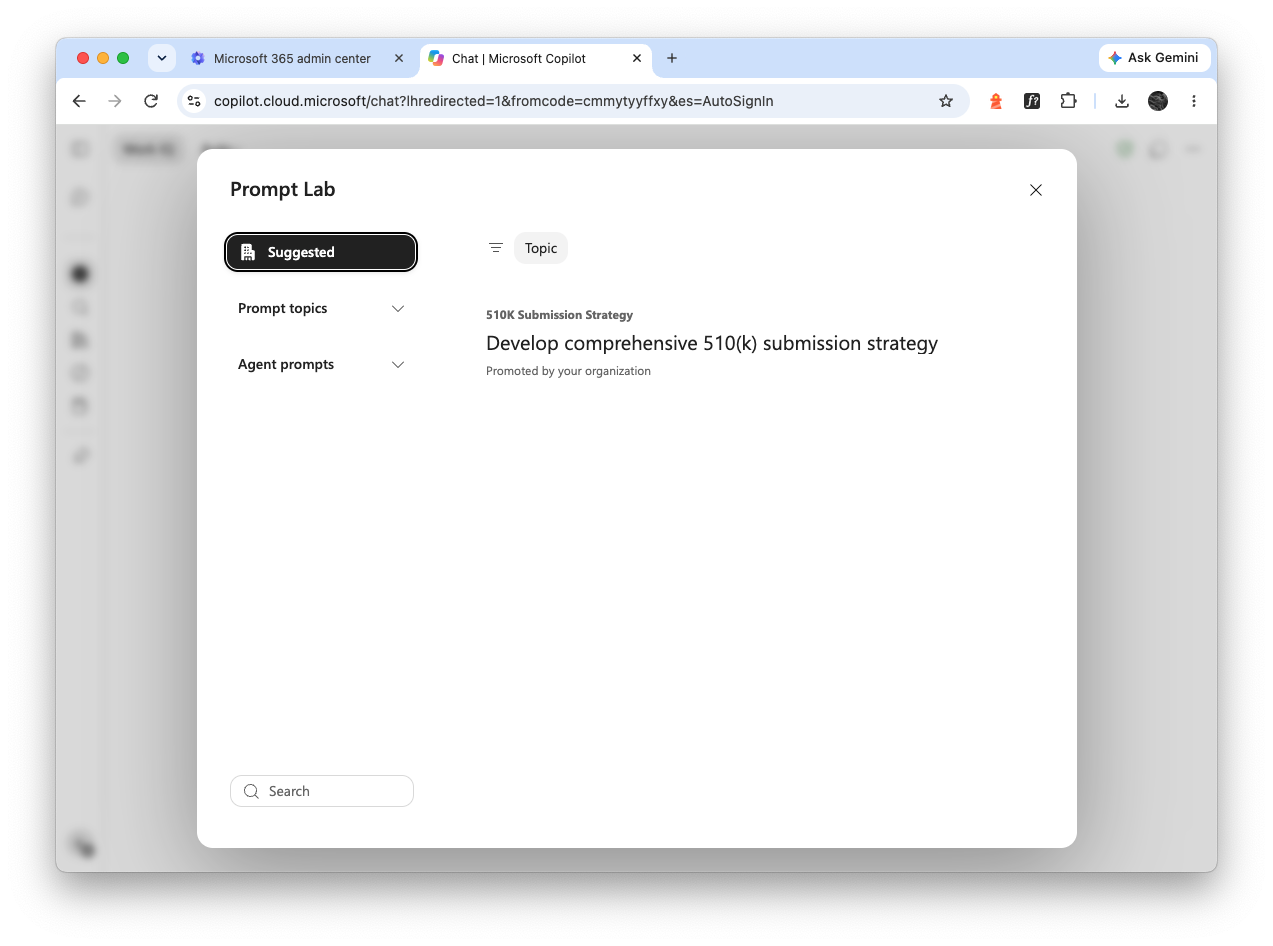
Microsoft admin can add ready-to-use prompts to Copilot Prompt Lab, so employees can see and use it. In this document, we use the ‘510K Submission Strategy’ as an example.
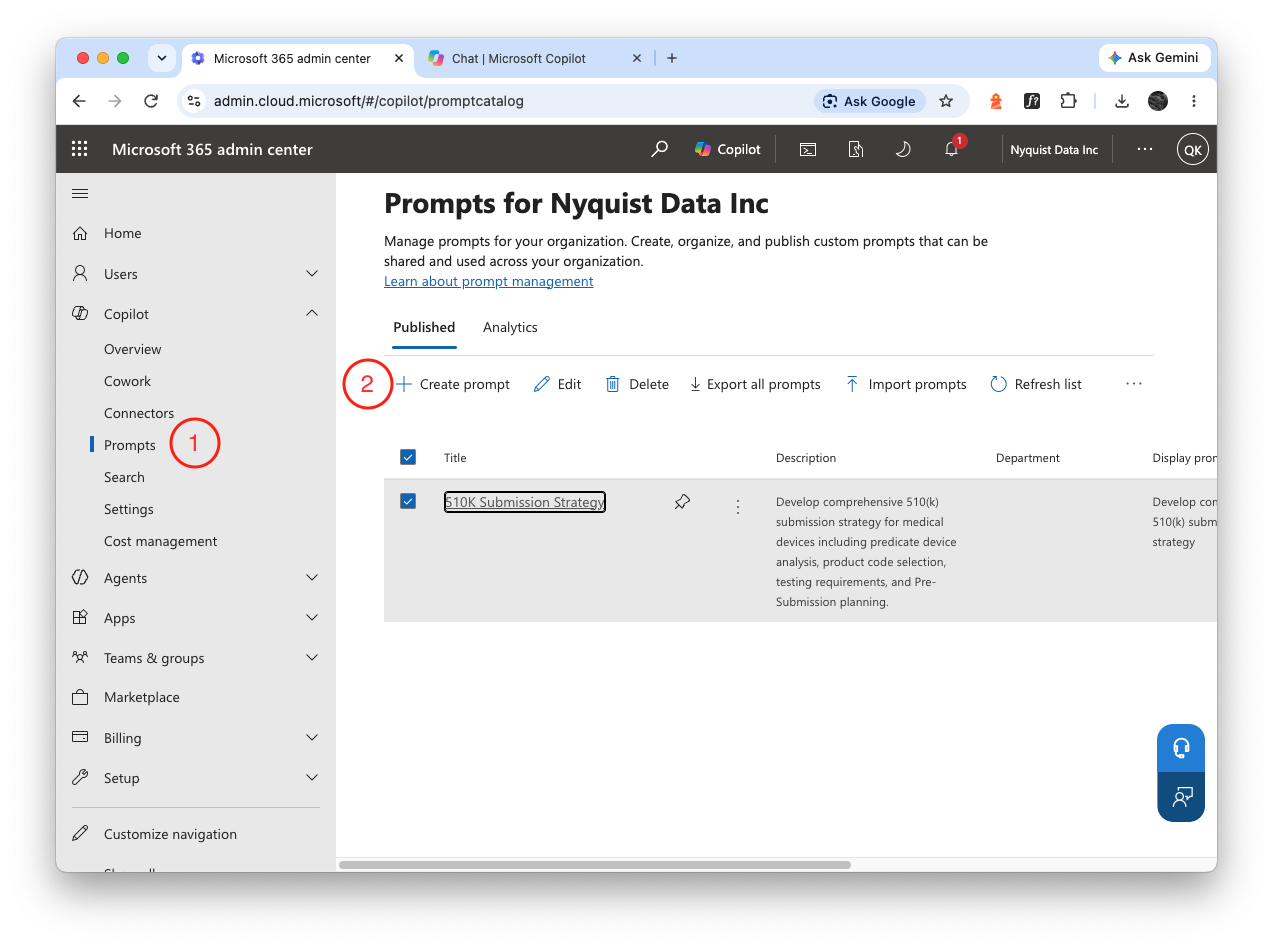
- Go to https://admin.cloud.microsoft/. On the left panel, go to Copilot -> Prompts.
- Click "+ Create prompt"
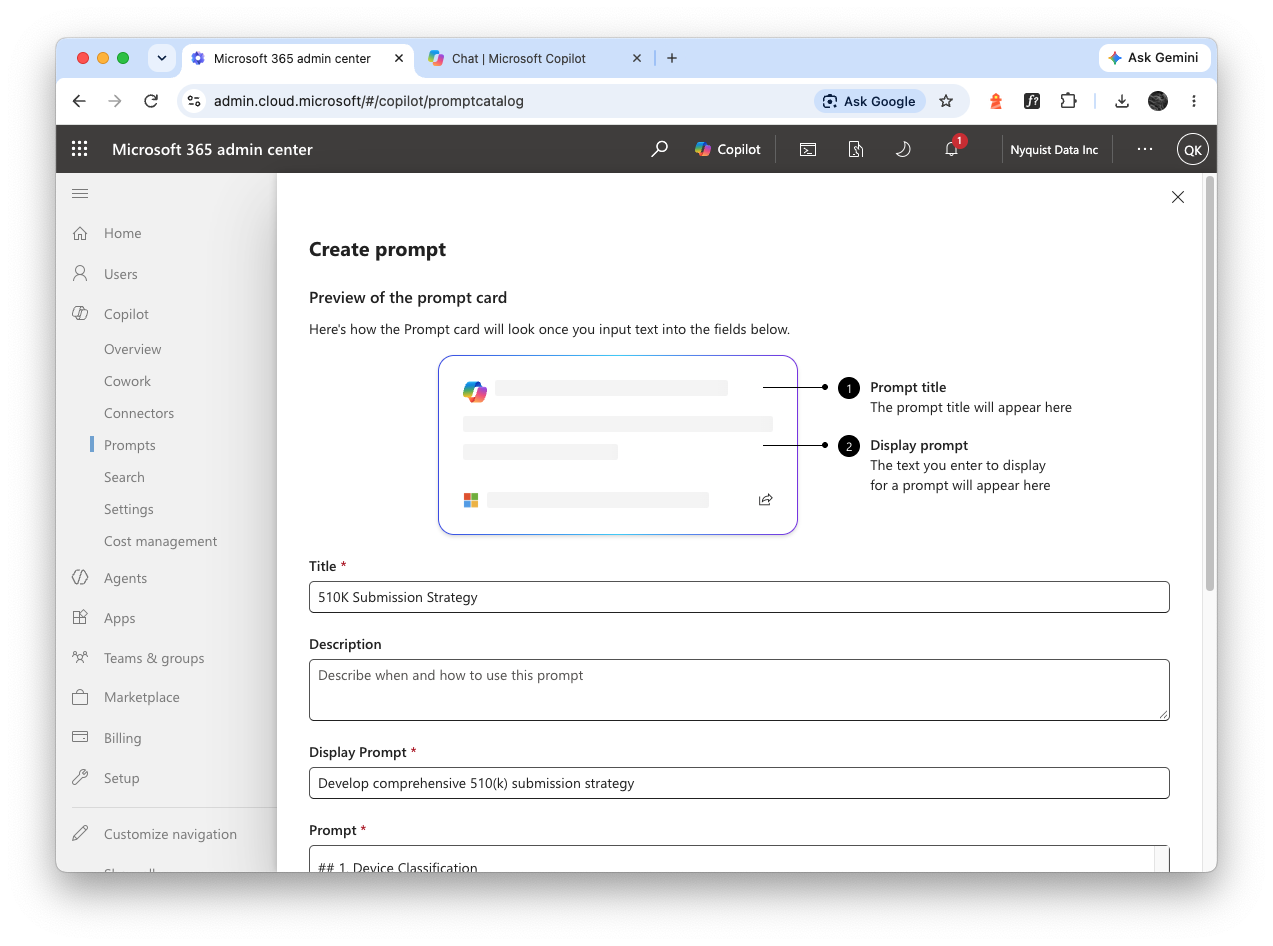
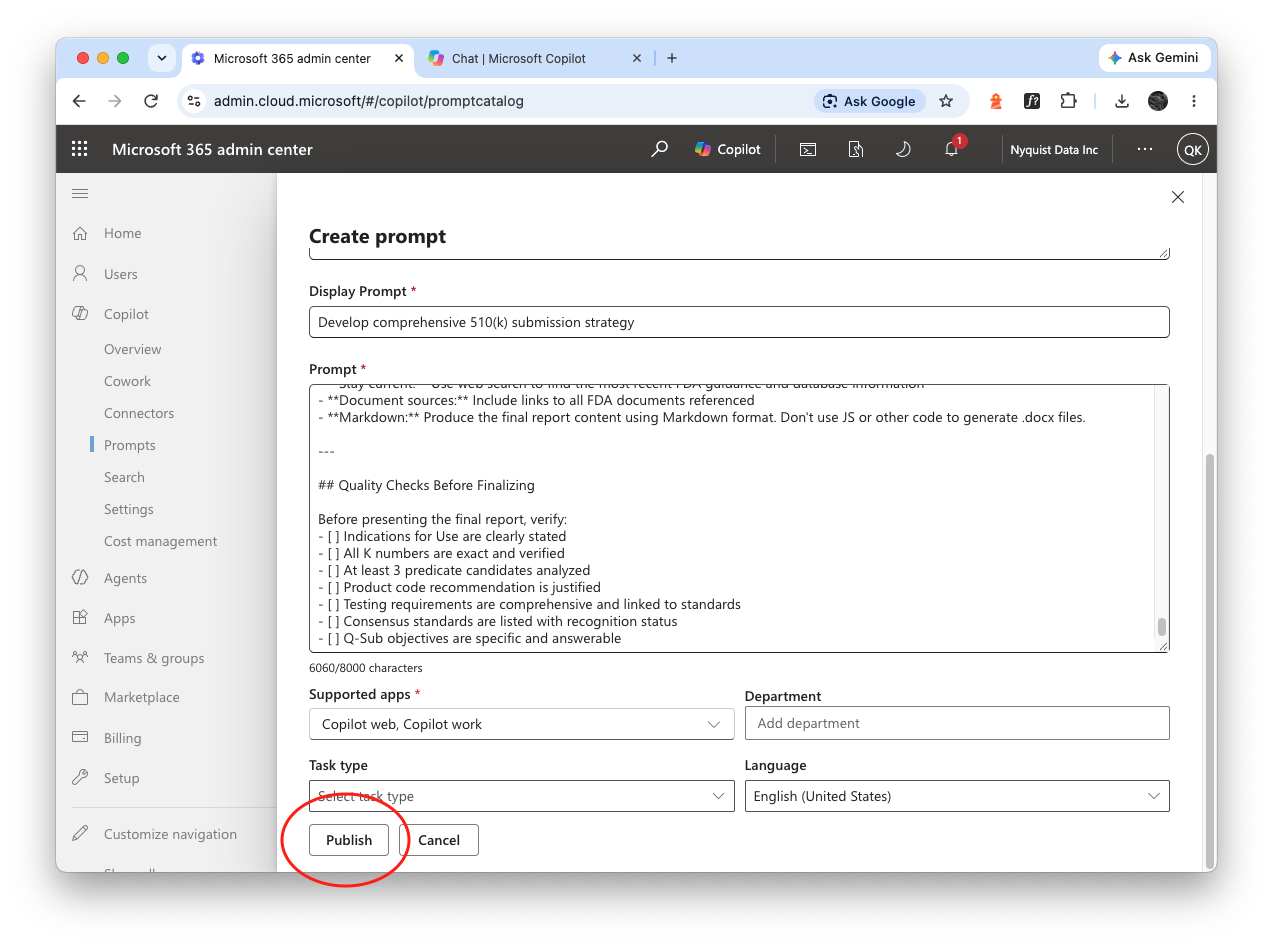
- In the pop-up window, we need to fill the following fields:
Title: 510K Submission Strategy
Display Prompt: Develop comprehensive 510(k) submission strategy
Prompt. The content is in the attached "510k-submission-strategy.md"
- Click the "Publish" button at the bottom.
- Users now can find the ready-to-use prompt by clicking “...” below the chat prompt.